Friday, April 13, 2012

Day #5 of a #30 day startup


Lesson learnt today: Coding involves learning something new on a regular basis. Again this is something we constantly re-learn, it's what makes coding so fulfilling. The downside is spending hours finding out how to achieve something, that should really only take a few minutes to accomplish. At least the next time, the task is done quickly and effectively.
The functionality of the site is getting better - but there is a lot yet to be done. I won't be posting here over the weekend, but no doubt I'll be looking at the code at some point.
Cakephp finding: Here's something I didn't previously know and has re-kindled my love for the cakephp platform - the counterCache behaviour. In my case it automatically updates the comment_count field in the parent table with the aggregated sum of related comments in the child table. This will save a lot of database calls to bring back number of comments against a posting. And the only code to implement this goes in the Comment model - 'counterCache' => true . Fantastic! (it's described in the Cakephp cookbook )

Thursday, April 12, 2012

Day #4 of a #30 day startup

Lesson learnt today: I still hate css! :)

For those who code in cakephp, and want to highlight the current tab (yet are not extracting menu items from a db table) the following may be of interest.
In the controller function (remember this has to be done for each function that renders the layout and menu element)

if ($category_id==1) {
$this->set('activeTab','General');
} elseif ($category_id==2) {
$this->set('activeTab','Culture');
} elseif ($category_id==3) {
$this->set('activeTab','Tech');

This means that in the element I can set a class for the current tab, via php - unfortunately the sanitisation of code means I can't show it here. Basically the php will echo class="current" within the li> tag if activetab is set to the relevant value.

Wednesday, April 11, 2012

Day #3 of a #30 day startup


Lesson learnt today: take breaks. Long spells of trying to crack a problem are often counter-productive.
This is a lesson I am continually having to re-learn. Last night I was stuck on a minor problem, and spent hours trying to figure it out. As soon as I closed the pc and got ready for my supper drink, I was struck by the thought "why not try option X". First thing this morning I tried "option X" and cracked the problem first time. It won't always work like that, but more often than not a break can give that breath of inspiration you need to crack a poser.
Most of today was getting certain logic to work in the code - for some reason automatic date fields weren't being set, also I needed to view associated comments when viewing a thread. There's a long way to go yet, but I'm inching towards my destination.

Tuesday, April 10, 2012

Day #2 of a #30 day startup


Lesson learnt today? - It's good to have a visual mock-up of what you are heading towards.

I'm writing this entry early today, not because I'd like the afternoon off (chance would be a fine thing) but because I've got an early representation of what a main screen may look like on the site. I already had sketches that I am working to, but a screen mock-up can show us all how the display can look. Already it has indicated to me certain validation restrictions that I will have to include in the coding of the site.

Now, although I'm happy to be described as a programmer or even a web developer, I am not a web designer. Yes, I can change layouts, introduce drop down menus or change the appearance of text. But to make a site overall look professional, it's essential to get layout from a good web designer included - something to consider if you want a website building.

However I stated in my initial post that I'm trying to run this as a lean startup ie not spending money where possible. So I have made use of a css free templates site and chosen this layout http://www.csstemplatesfree.org/preview/Nautica/ It's been written by Luka Cvrk, and if you like his designs (you can find them at Luka's site ) then please patronise his work - he has both free and decently-priced premium templates. I'm not going to stick to everything in that layout - much will have to change as my site develops. But it's good, I feel, to get a glimpse of how the site may look.


PS
CakePhp code tip: To specify which css file and layout to use for a screen, use this line in the function code (for example for index or view) in the controller
$this->layout='yournew_layout';
You can then specify the css file you require from that layout file.

Monday, April 9, 2012

Day #1 of a #30 day startup


Well I decided to take the plunge, and monitor the progress of my latest project on this blog.
I've developed and coded websites previously, but this time I thought others thinking of persuing their web idea, may be able to learn from my experiences, if only in avoiding any silly mistakes I make! Of course, if I get knowledgeable folk leaving advice here via the comments facility they will be very welcome!
Where I can it's going to be my own work (no outsourcers employed), and I intend spending as little money as possible on developing and launching the site. Use of opensource software, free tools etc will be the ideal mode of working.
The idea behind the website is to set up a multi-lingual talk-board, initially with English, German and Spanish. I won't use automatic translations, as I'm still not happy with the translations that automatic software produces. However I hope to link (and translate directly) entries on threads in different languages - if we get any users of course!
I'm still unsure as to whether I commit the code to Github, so others can utilise or modify the code - I'll publish my decision here in a later entry.
Name of the website - I haven't chosen yet, nor have I yet obtained a domain. I will develop the site on my local machine, and so for the first week or two there will just be screenshots to observe here.
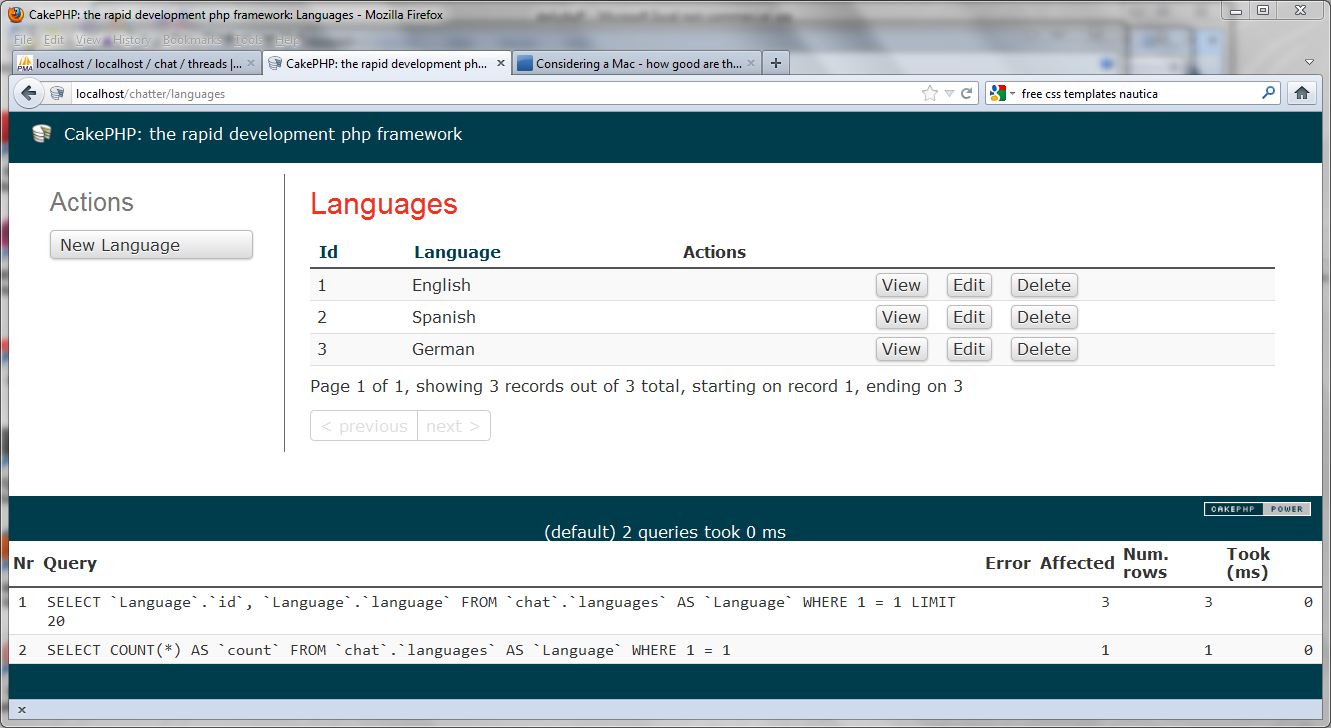
What have I done today? Set up cakephp 2 on my development machine, created the initial table structure, and used cakephp bake utilities to initialise some screen views - which will all need to change dramatically over the coming days. Hopefully more to come tomorrow.

Tuesday, December 27, 2011

A start in SEO.

A long time since I posted here. I have to admit my attention has been grabbed by the necesity of finding things to do that may secure me future contracts.
My latest project has been UpSpainNews which is a directory of start-ups from Spain. One thing puzzled me about this site - why was my website not in the first few pages of Google search? It is (so far as I know) the only web directory specifically on Spanish start-ups in the English language. Of course you can come across some of those entries if they are listed in Crunchbase or in AngelLists, but my listing is fairly unique. Yet Google doesn't recognise this if you search for "Spanish start-ups".
So the last week or two I've been looking into the murky world of SEO. The first thing I realised I didn't do, was to put relevant meta-tags on my web-site. I've now entered a line in my html code as follows:
<meta name="description" content="A directory of Spanish start-ups, the best way to read up on those start-ups in English" />
With luck, the Google robots will pick this description up in the next week or two. It means that when my page is listed on a google search, the description will be shown as above ie "A directory of Spanish start-ups, the best way to read up on those start-ups in English". Instead of the current text which is "About this site · Directory of Startups · Company entries; General Up news; Contact. Startup of the week. Screenshot. Adtriboo - source talent! Internet jobs" and is obviously a mish-mash from the site text.
That in itself won't put me on page 1. I also have to get more backlinks to the site, and (perhaps more importantly) get articles published on other sites that link back. I have made a start by donating articles to EUStartUps.com and
hope to continue along this line.
I hope to edit this article in a week or two with better news on my Google page ranking.

EDIT 5 Jan. The google bots have updated their records, and my site now makes it onto Page 2 for the search "Spanish startups". Also, I come in top of Page 1 when I search on "Spanish startups directory". :) In order keep this good position, I will now try to build up links on high ranking sites, and perhaps continue to write articles for other sites that link to my site. I've made a start with this entry Spanish start-ups to look out for in 2012. Happy reading!

Saturday, May 7, 2011

Running cron jobs for Drupal on a shared host.

Ok, this isn't normally the hardest thing in the world to set up, but as I didn't have shell access I didn't get around to doing this (and ran the cron jobs manually).
In fact, setting up automatic cron jobs via Cpanel is quite easy (and you can read more about this - here
On Cpanel, in the "Advanced Section" you can click on cronjobs. There are fields you can enter to determine how often the cron job is run. For example, if you enter 15 in the Minute box, the job can be run at 15 minutes past the hour. The top box allows common settings eg once a week, or once a hour, so you don't need to enter criteria directly into every box. The most important task though is to enter your command line correctly. If you have lynx enabled on your Linux server, you may wish to use that, but the wget command is probably more common on nix boxes. So for my job at www.mygreatsite.com I put in the following command:
wget -O - -q -t 1 http://www.mygreatsite.com/cron.php


The -t 1 switch merely states try again once upon failure.
Anyway after pressing the "Add Cron job" button, that's all that needs to be done. The crontab program will perform your regular updates from now until the program is modified, or the server blows up!
If only other IT tasks were so easy to set up and then leave alone.